
MP3 vs WAV vs FLAC: Which Audio Format Should You Use?
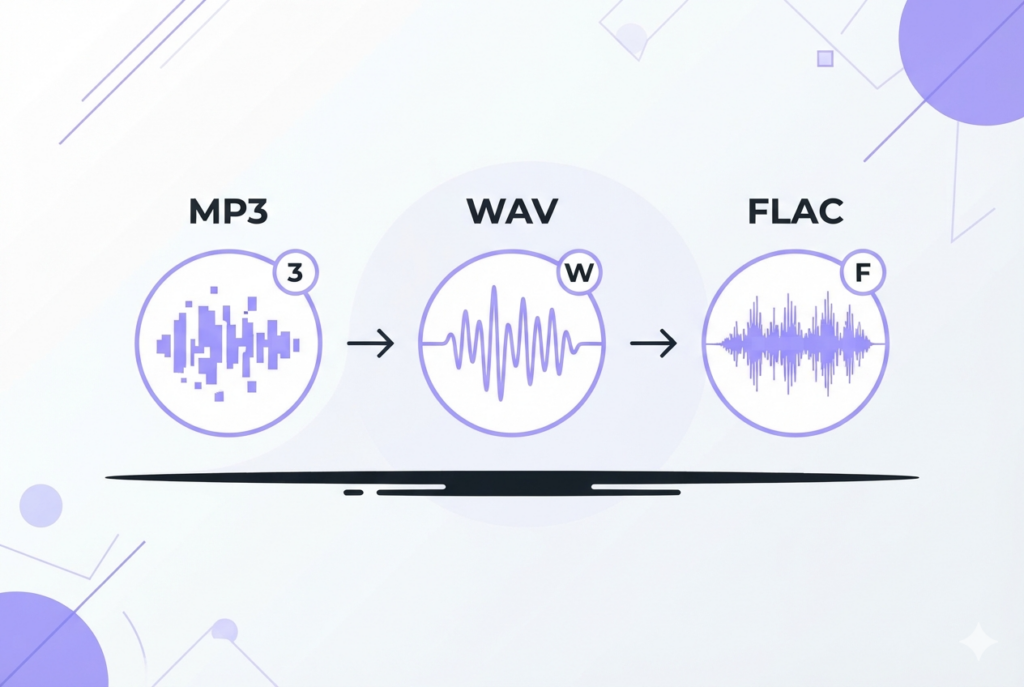
MP3, WAV, and FLAC are the three most common audio formats, and each serves a different purpose. MP3 is compressed and lossy — small files, good enough for most uses. WAV is uncompressed and lossless — perfect for editing. FLAC is compressed and lossless — the best of both worlds for archiving.
Choosing the wrong format doesn't ruin audio quality instantly, but it can mean unnecessarily large files, compatibility problems, or quality loss at the worst possible moment. This guide explains exactly what each format does, when to use it, and how they compare on every practical dimension.
The three formats at a glance
MP3 — the universal format
MP3 (MPEG-1 Audio Layer 3) works by analyzing audio and discarding data that is statistically unlikely to be perceived by human hearing — a process called perceptual coding. At 192kbps and above, the removed data is inaudible to the vast majority of listeners in listening tests.
- File size: ~1 MB per minute at 128kbps, ~2.4 MB per minute at 320kbps
- Quality range: 128kbps (voice, acceptable) → 192kbps (music, transparent) → 320kbps (maximum MP3)
- Compatibility: Every device, every platform, every app since 1995
- Editing: Each re-encode adds more loss — avoid editing MP3 files repeatedly
WAV — the editing standard
WAV (Waveform Audio File Format) stores audio as raw, uncompressed PCM samples. Every single sample is preserved exactly as it was captured — no encoding, no approximation, no data removed. This makes WAV the correct format for recording and editing, where repeated processing would compound lossy artifacts.
- File size: ~10 MB per minute (stereo, 44.1kHz, 16-bit)
- Quality: Perfect — bit-for-bit identical to the original recording
- Compatibility: Universal — supported everywhere, including old software and hardware
- Limitation: Very large files; no metadata support beyond basic tags
FLAC — lossless with compression
FLAC (Free Lossless Audio Codec) reduces file size by 40–60% compared to WAV while preserving 100% of the original audio data. It achieves this through lossless compression — similar to how a ZIP file reduces file size without losing any data. When you decode a FLAC file, you get back exactly the same samples that went in.
- File size: ~5 MB per minute (roughly half of WAV)
- Quality: Perfect — identical to WAV bit-for-bit after decoding
- Compatibility: Windows, Android, VLC, Foobar2000, Plex — but not natively on iOS or older Safari
- Best use: Archiving music libraries and high-resolution audio
Full comparison table
| Feature | MP3 | WAV | FLAC |
|---|---|---|---|
| Compression | Lossy | None | Lossless |
| Audio quality | Good (192kbps+) | Perfect | Perfect |
| File size (3 min song) | ~4 MB | ~30 MB | ~15 MB |
| Re-encoding safe | No — quality loss | Yes | Yes |
| iPhone / iOS | ✔ Native | ✔ Native | Limited |
| Android | ✔ | ✔ | ✔ |
| Web browsers | All | All | Chrome, Firefox, Edge |
| Streaming platforms | All | Some | Some (Tidal, Qobuz) |
| Best for | Sharing, streaming, everyday use | Recording, editing, production | Archiving, hi-fi listening |
Can you hear the difference?
This is the most debated question in audio. The honest answer: at 192kbps and above, most people cannot reliably tell MP3 from FLAC in a blind test.
Multiple studies — including the famous ABX tests on Hydrogen Audio and the BBC's internal listening panels — have found that 320kbps MP3 is perceptually transparent for the vast majority of listeners on typical consumer equipment (earbuds, Bluetooth speakers, car stereos).
The audible difference becomes more noticeable when:
- Using high-end headphones (Sennheiser HD 800, Beyerdynamic DT 1990) or studio monitors
- Listening to complex acoustic music (classical, jazz with cymbals and reverb tails)
- Using a very low MP3 bitrate (64–128kbps)
- Processing the audio through multiple effects chains in a DAW
Which format should you choose?
Use MP3 when sharing, streaming, making ringtones, publishing podcasts, or sending audio to anyone without specific requirements. Export at 192kbps for music, 128kbps for voice.
Use WAV when recording, editing in a DAW, mastering, or any situation where you will process the file more than once. The large file size is worth it to avoid compounding quality loss.
Use FLAC when archiving your music library, listening on a hi-fi system, or storing high-resolution recordings. It gives you lossless quality at roughly half the file size of WAV.
Need to convert or edit your audio files?
sound-goods tools process audio locally in your browser — MP3, WAV, FLAC, OGG, M4A — no upload required.
Try the Audio Converter →
Leave a Reply